 how-to
How to Manage Office Move Inventory: 2026 Guide
Table of Contents
- Why Office Move Inventory Management Saves Time and Money
- Start With an Office Relocation Inventory Checklist
- Building an Office Equipment Inventory Spreadsheet
- Decluttering Before You Pack a Single Box
- Choosing an Office Move Labelling System That Works
- Office Asset Tracking During Relocation
- Packing and Labelling Tips for Fragile and High-Value Items
- Checking Everything Arrived: The Post-Move Inventory Audit
- Frequently Asked Questions
Last Updated: 14 October 2026
Why Office Move Inventory Management Saves Time and Money
A clear inventory is the single biggest thing that keeps a commercial move on budget. Without one, boxes go missing, furniture gets duplicated, and your team loses days hunting for equipment. At Fletcher Removals and Storage, we have handled commercial relocations, and the pattern is always the same: the businesses that track what they own before moving day are the ones that settle into the new office fastest.
How to manage office move inventory comes down to four habits: list everything, declutter first, label clearly, and audit on arrival.
Get those right and you remove most of the stress from the whole project.
The alternative is expensive. A missing laptop, a lost filing cabinet key, or a chair that arrives on the wrong floor all cost time and money to fix. Many businesses find that a few hours of planning upfront saves several days of chasing later.
This guide breaks the process into plain steps you can start this week.
Start With an Office Relocation Inventory Checklist
An office relocation inventory checklist is a written record of everything you own, where it currently sits, and where it needs to go. It is the backbone of the entire move.
Start it before you book anything else.
What Belongs on the Checklist
Keep it simple. For each item, record:
- Item name and a short description
- Current room or zone
- Condition (good, worn, broken)
- Whether it moves, gets stored, or is disposed of
- Who owns it (department or person)
That last column matters more than people expect. Shared equipment causes the most confusion.
Setting a Timeline: When to Begin
Begin the checklist six to eight weeks before your move date for a small office, and twelve weeks for anything larger. Work room by room so the task stays manageable.
Building an Office Equipment Inventory Spreadsheet
An office equipment inventory spreadsheet turns your checklist into something you can sort, filter, and share. A simple spreadsheet beats a fancy app here, because everyone on the team already knows how to use one.
Set it up once and it does the work for you.
Columns That Do the Real Work
Build these columns across the top:
| Column | What It Records | Why It Matters |
|---|---|---|
| Item ID | Unique number per item | Stops two items sharing a name |
| Description | What the item is | Helps packers and insurers |
| Current location | Room or zone today | Tells you what to collect |
| New location | Room or zone after the move | Guides the unloading team |
| Value band | High, medium, or low | Flags what needs extra care |
| Status | Move, store, or dispose | Prevents junk travelling |
The item ID is the one most people skip. Don't. It is the thread that ties every label, box, and audit line together.
Decluttering Before You Pack a Single Box
Decluttering before you pack is the cheapest part of the move. Every item you leave behind is one you don't pay to move, store, or unpack.
Be ruthless with the obvious things first.
- Old paperwork past its retention date
- Broken chairs and desks nobody uses
- Duplicate cables, chargers, and monitors
- Kitchen items nobody has touched in a year
- Marketing materials for products you no longer sell
For anything with a resale value, sell it. For the rest, arrange proper disposal or recycling.
Choosing an Office Move Labelling System That Works
A good office move labelling system links every box to your spreadsheet. The label should tell anyone, at a glance, what is inside, where it goes, and how carefully it must be handled.

Colour Codes, Numbers, and Zone Tags
Use three layers on every label:
- Colour for the destination zone (blue for finance, green for sales)
- Number for the item ID from your spreadsheet
- Tag for handling (fragile, this way up, high value)
Write on two sides of each box, not just the top. Boxes get stacked.
Office Asset Tracking During Relocation
Office asset tracking during relocation means knowing where every high-value item is at every stage: packed, in transit, in storage, or delivered. This is where a spreadsheet stops being enough and you need a simple sign-off process.
Use a move-day log.
- Note the time each box or item leaves the old site
- Note who loaded it
- Note the time it arrives at the new site
- Note who signed for it
For laptops, servers, and anything with data on it, keep a separate line. These items should travel with a named person, not in a general load.
If your move includes a storage period, ask your provider how they track goods in and out. At Fletcher Removals and Storage, we hold goods in our onsite warehouse and log every item against the customer's inventory, so nothing is left to memory.
Packing and Labelling Tips for Fragile and High-Value Items
Fragile and high-value items need their own rules. Pack them first, label them clearly, and keep them out of the general load.
A few habits that save damage claims:
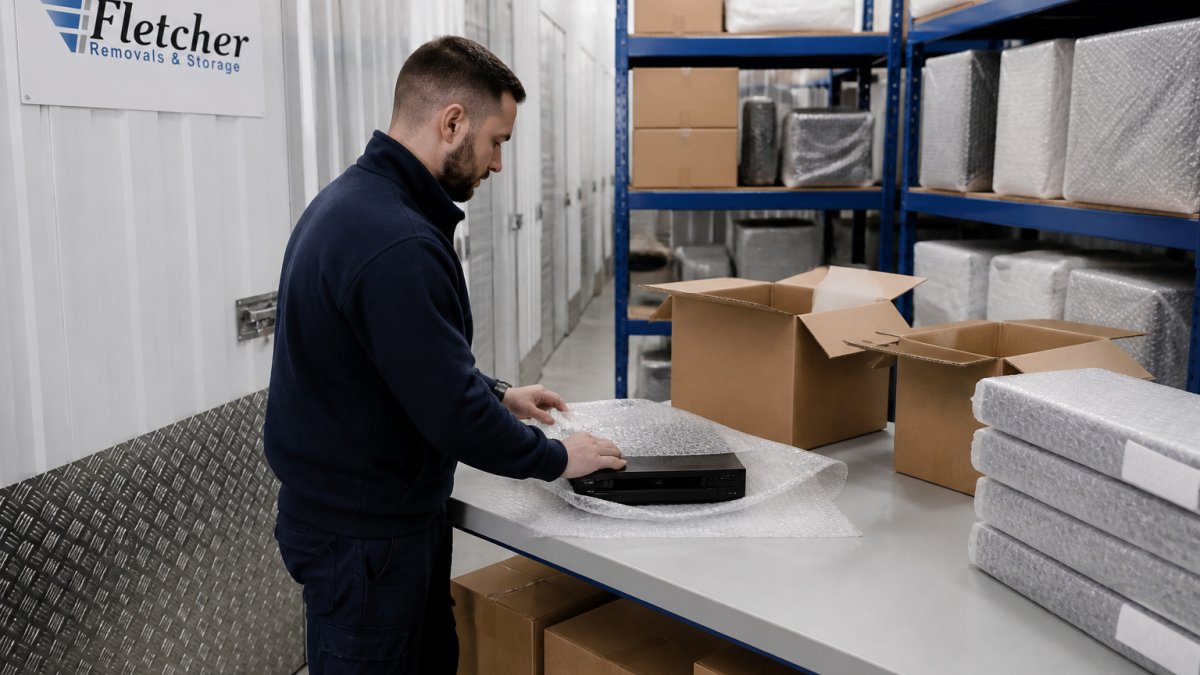
- Wrap glass and screens in bubble wrap, then box them upright
- Fill gaps so nothing shifts inside the box
- Mark every fragile box on all four sides
- Keep small high-value items in one labelled crate, not scattered
- Never stack heavy boxes on top of fragile ones
Checking Everything Arrived: The Post-Move Inventory Audit
The post-move audit is where your spreadsheet earns its keep. Walk the new office with your inventory list and tick off every item against its new location.
Do this within the first two days, before people start moving things around.
- Check each room against its zone list
- Flag anything missing or damaged in writing
- Note the condition of high-value items
- Chase anything still in transit or storage
If something is damaged, report it the same day, with photos. Most insurers and removal firms have a claim window, and late reports are harder to resolve.
A commercial move only stays calm when someone owns the inventory from start to finish. That is the part most businesses underestimate, and it is exactly where we help. Fletcher Removals and Storage offers a personalised approach to every enquiry, trained and uniformed staff, and full Goods in Transit and Public Liability Insurance, so your equipment is protected from the first box to the last. We also provide secure onsite warehouse storage if you need a gap between sites. Get started with Fletcher Removals and Storage and move into your new office with everything accounted for.
Frequently Asked Questions
How do you create an inventory for an office move?
Walk through every room and record each item on a spreadsheet or checklist. Note the item description, its current location, its destination in the new office, and a unique reference number. Photograph high-value or fragile items such as monitors and specialist equipment. Group entries by department so nothing gets missed. Once the list is complete, share it with your removal company so they can plan vehicle sizes and crew numbers accurately.
What should be included in an office relocation inventory checklist?
Your checklist should cover furniture (desks, chairs, cabinets), IT equipment (computers, monitors, servers, printers), kitchen items, plants, artwork, and any archived files. For each entry, add the item's condition, whether it needs dismantling, and its priority for arrival at the new site. Include a column for serial numbers on electronics. This level of detail helps your removal team handle everything correctly and gives you a clear record if you need to claim on Goods in Transit Insurance.
How do you label office furniture and equipment for a move?
Use a consistent system: colour-coded labels for each department, a unique number for every item, and a destination zone tag that matches the floor plan of your new office. Write the item number on the checklist alongside the label. Apply labels to a visible surface, not the underside, so they can be read quickly on arrival. For IT equipment, keep the label away from vents and ports. A clear labelling system reduces the time spent directing where things go on moving day.
How do you check that all office items have arrived after a move?
Compare each delivered item against your inventory spreadsheet as it comes through the door. Tick off the reference number and note any visible damage before the removal crew leaves. Check off items by department so you can spot gaps quickly. If something is missing or damaged, report it to your removal company the same day and include photographs. A prompt, documented check makes any insurance claim straightforward and keeps your business running with minimal disruption.